

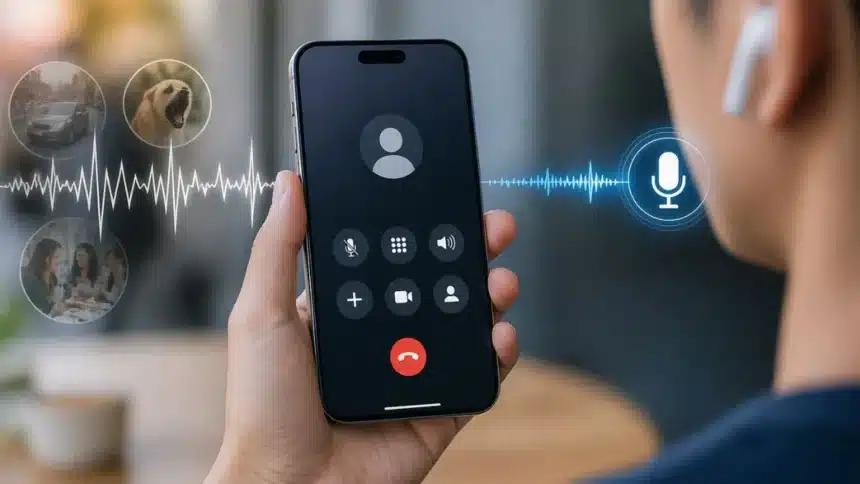
iPhone Voice Isolation: Has this ever happened to you? You are on a large busy street trying to make an important work phone call, but the wind is howling loudly, and the kids are playing noisily in the background.
So now it becomes a game of “Can you hear me?” and “Sorry about the noise!”
Most times, when we have these problems, we blame our cellular service provider or the microphone itself. But the truth is that your iPhone is picking up way too much information; it is picking up everything around you instead of just your voice.
The good thing is, your iPhone has a built-in professional-grade “noise gate” already in the software of your iPhone, which will allow you to fix the problem without an expensive external microphone or going into a room with very little to no noise.
You only need to know where to find the flip for this hidden “noise gate”.
What is Apple’s Voice Isolation feature?
Apple’s Voice Isolation is an audio-processing feature that uses machine learning to prioritize your voice and block other noises like traffic, barking dogs, and wind during phone calls and FaceTime, improving clarity for the listener.
It functions as a smart microphone filter available on iPhones, iPads, and Macs.
How to Turn on Voice Isolation during calls
Step 1: Start a call
Step 2: Swipe down from the top-right corner & Open Control Center
Step 3: Tap call controls
Step 4: Select “Voice Isolation”
Step 5: Go back to your call
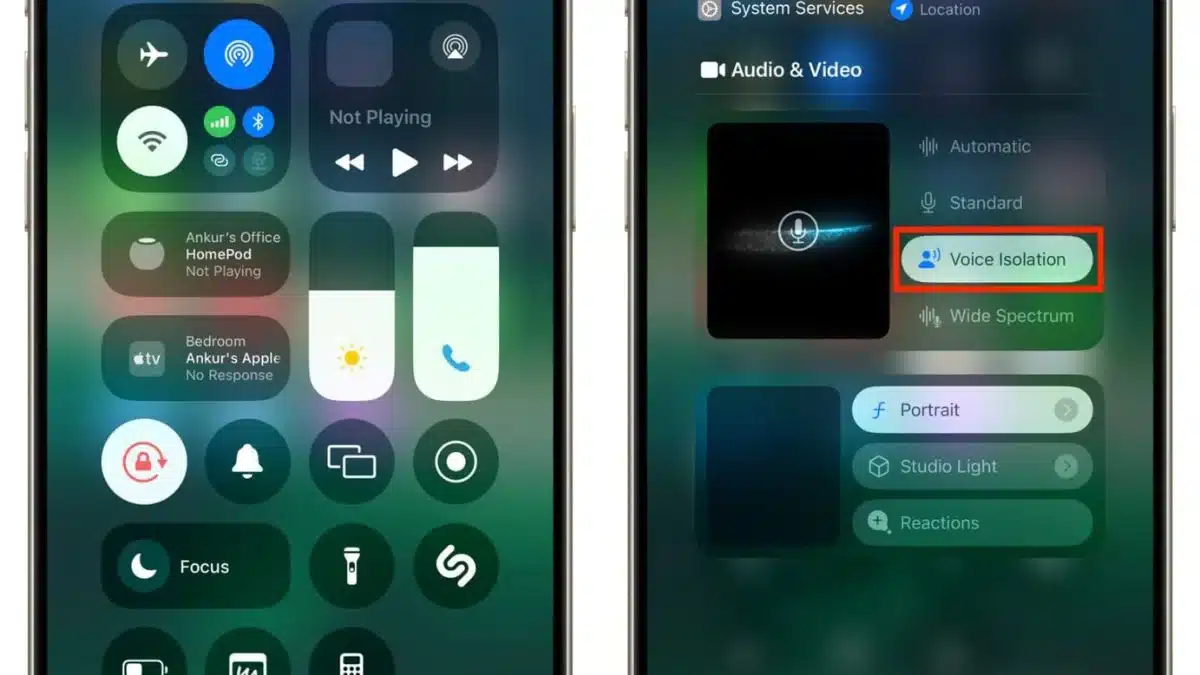
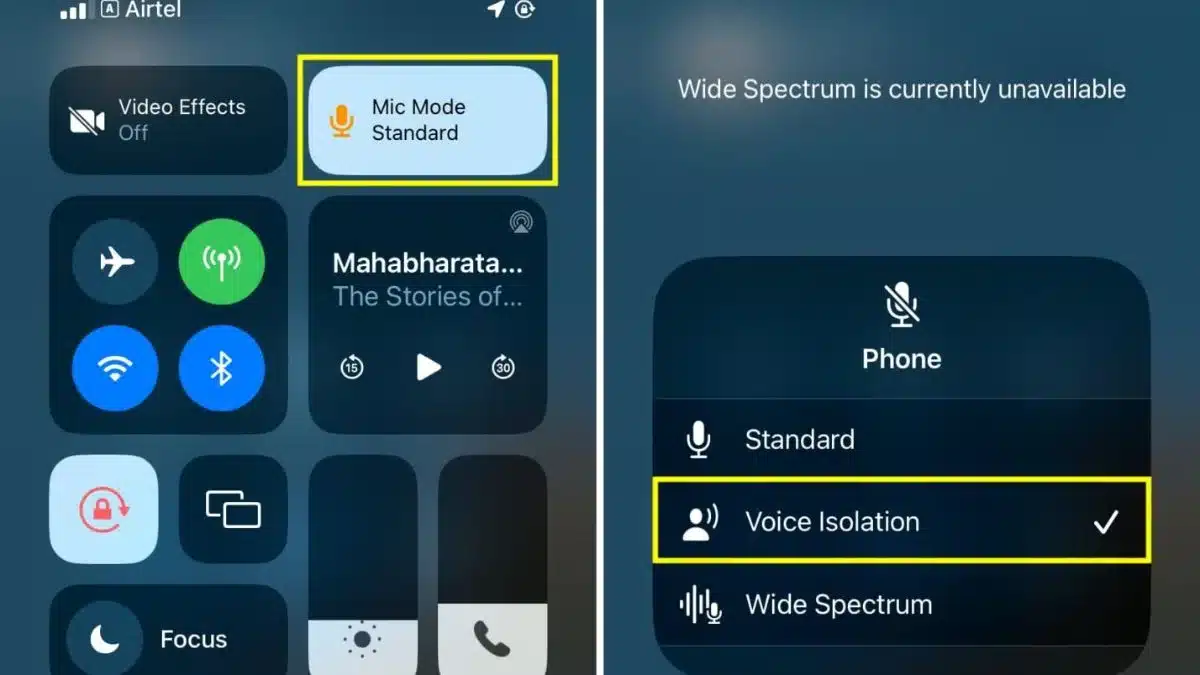
If you are using an old iOS, you might see a Mic Mode option instead. Tap it and select Voice Isolation. It gives you the same result, just under a different tag.
When did Voice Isolation Roll Out?
Apple didn’t just roll out this feature overnight. Instead, it has been a gradual evolution of their audio technology. It first arrived with iOS 15, but it was strictly limited to FaceTime and certain VoIP apps (like WhatsApp).
Then, with the release of iOS 16.4, Apple finally unveiled it for everyone by bringing Voice Isolation to standard cellular calls.
Also, your iPhone remembers the settings for each app. So if you turn on Voice Isolation for WhatsApp, it’ll stay on for future calls there too
So, use this quick fix, and enjoy your long calls anywhere.
Also Read: How to Customize Your iPhone to Match Your Style Like a Pro